AICase study · 2026
Floral Recognition Interface
A design-led AI experiment: upload a bouquet photo and get a cinematic floral breakdown, with numbered markers and specimen details for every flower the model can see. Started at a Cursor build event, refined over dozens of passes into a live public demo.
Context
A self-initiated AI experiment. It started at a Cursor build event in Sydney with about an hour on the clock, and grew over dozens of passes into a live public demo with validation, shared history and its own usage gate.
My role
Everything: the concept, UX and UI direction, interaction design, the AI workflow, the build, deployment and iteration.
Stack
Figma for direction, Cursor for the build. React + Vite on the front, Gemini for recognition, Vercel API routes behind it, Upstash KV for shared history.
Status
Live public demo, desktop-first. Mobile is still to come.
What if you could upload a bouquet photo and get a cinematic, sci-fi floral breakdown in seconds?
The interface
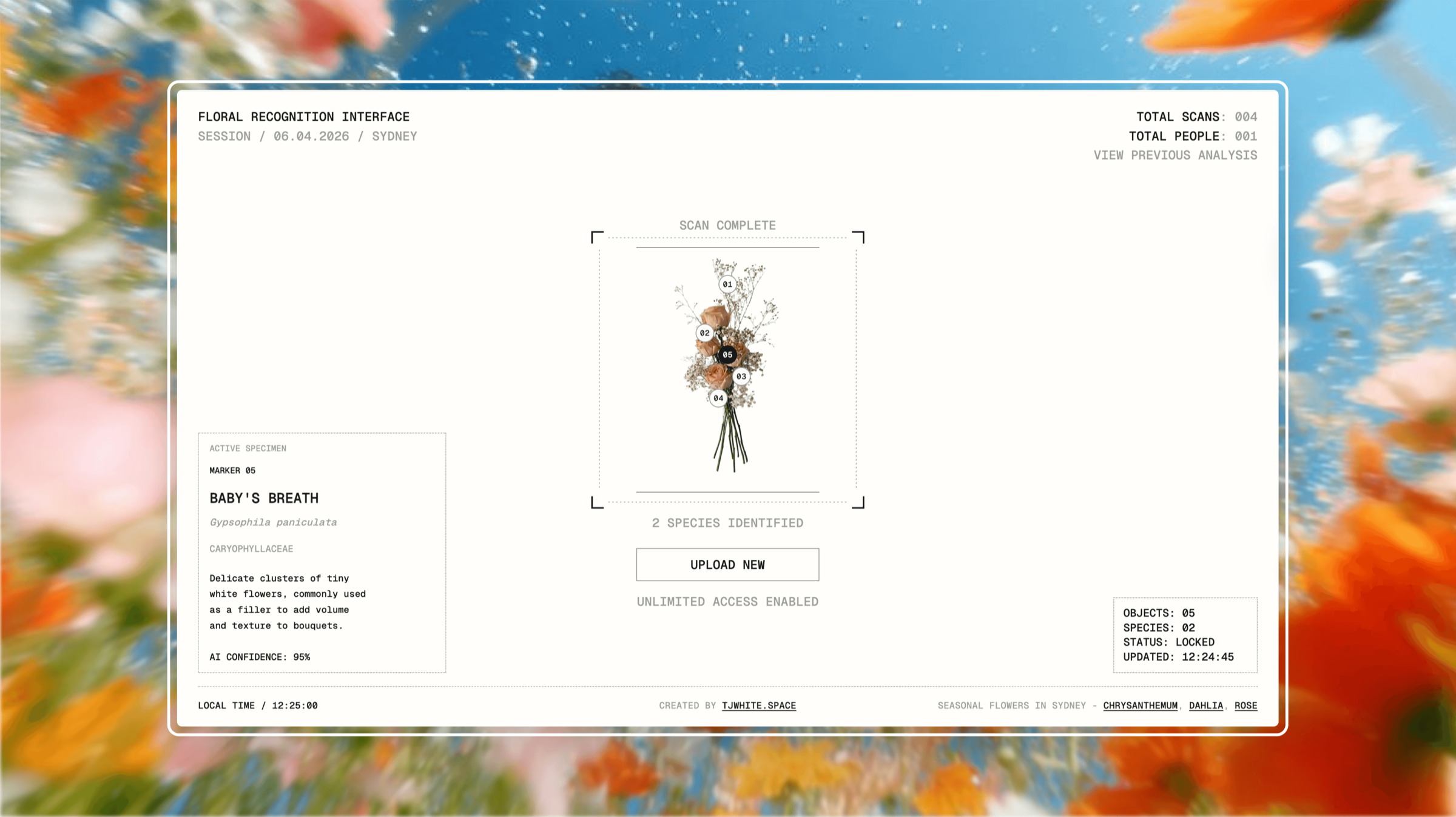
The visual direction is a techy HUD language applied to something as soft and organic as flowers. A photo goes in, the scan runs, and the bouquet comes back as an annotated specimen sheet.

What it does
Floral scan
Upload a bouquet image, the model identifies the visible flowers, and the UI overlays numbered markers with specimen details: species, common context, and a confidence figure.
Invalid input
Non-floral uploads are rejected with a clear floral-only prompt. It keeps the experience constrained to its intended use instead of pretending to analyse whatever it is given.
Shared analyses
Visitors can browse scans from previous users, so the demo feels alive and social rather than a private sandbox that resets for every visitor.
Usage gate
After the free scans are used, an access code is required to continue. It protects the API from abuse and keeps a public AI demo sustainable to run.
Only valid floral scans count toward the shared totals and history.
Four user flows
Each user flow, captured from the working demo. Pick one to watch it run.
1 / 4
floral · scan